Build your first rocket in the FormFieber 3D building game
You do not need a complicated toolbox to make something recognizable. FormFieber gives you four primitives and a simple workbench: combine them into a rocket, a robot or an idea of your own.
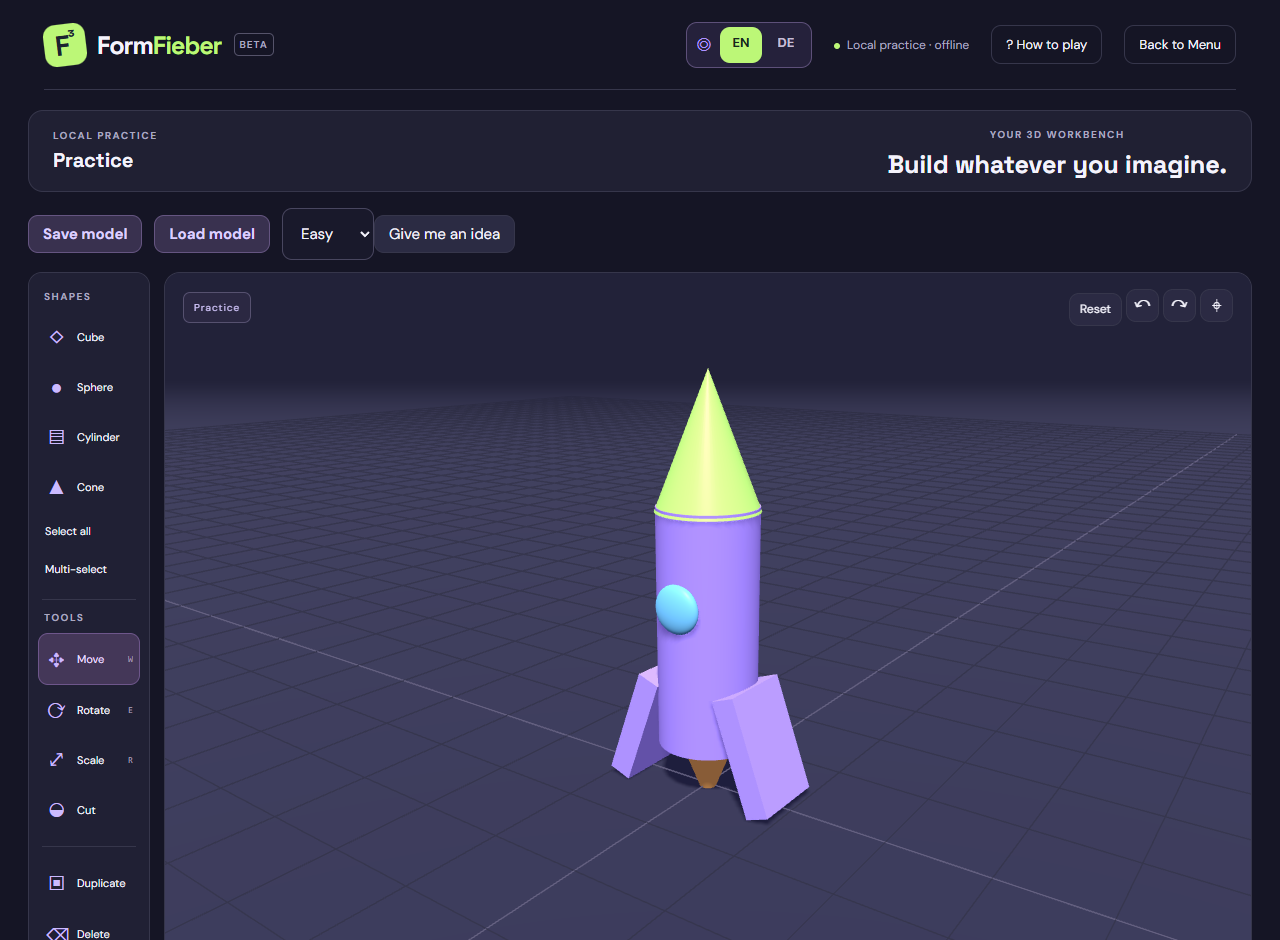
1. Start a rocket in Practice
Open Practice from the home menu; no player name or opponent is needed. Add a cylinder. Select Scale and stretch its vertical axis into the rocket body. Move it above the grid, leaving room beneath it for an exhaust. Orbit the camera to check the body is upright rather than leaning toward the camera.
2. Make the nose unmistakable
Add a cone, move it above the cylinder and scale its width to match the body. Check from the side that the two pieces touch. If the cone is hidden behind the body, use Move rather than increasing its size to compensate. The pointed nose and long body should already read as a rocket.
3. Duplicate fins and add a window
Add a cube and scale it into a thin fin. Move it to one side near the bottom of the body. Duplicate it and move the copy to the opposite side; rotate if needed. Add a small sphere, flatten it along its depth and place it partly in the front of the cylinder as a window. Use a contrasting color so it reads from a distance.
4. Inspect before adding more pieces
Rotate the camera around the rocket: a fin that looks attached from the front might be floating behind it. Shift-click the body and details, or use Multi-select, to move the pieces together without merging them. Undo an accidental transform immediately. Prefer correcting the outline over covering a misaligned piece with more shapes.
5. Try a real opening with Cut
On a separate cube, select Cut and choose Cylinder. Move and rotate the cutter through the cube. Its red portion shows where it enters solid material. Apply the cut to make a tunnel; cancel the preview if the position is wrong. No selection is required, so move the experiment away from your rocket to avoid cutting it too. Geometry is calculated only on Apply.
6. Save and use the lesson in a round
Save model in Practice updates the device save and downloads a model file. You can load a compatible file in Practice later. During a guessing round, start with the cylinder and cone before spending time on details. Guessers see each edit live, so an early recognizable silhouette is more useful than a finished model that appears at the last second.